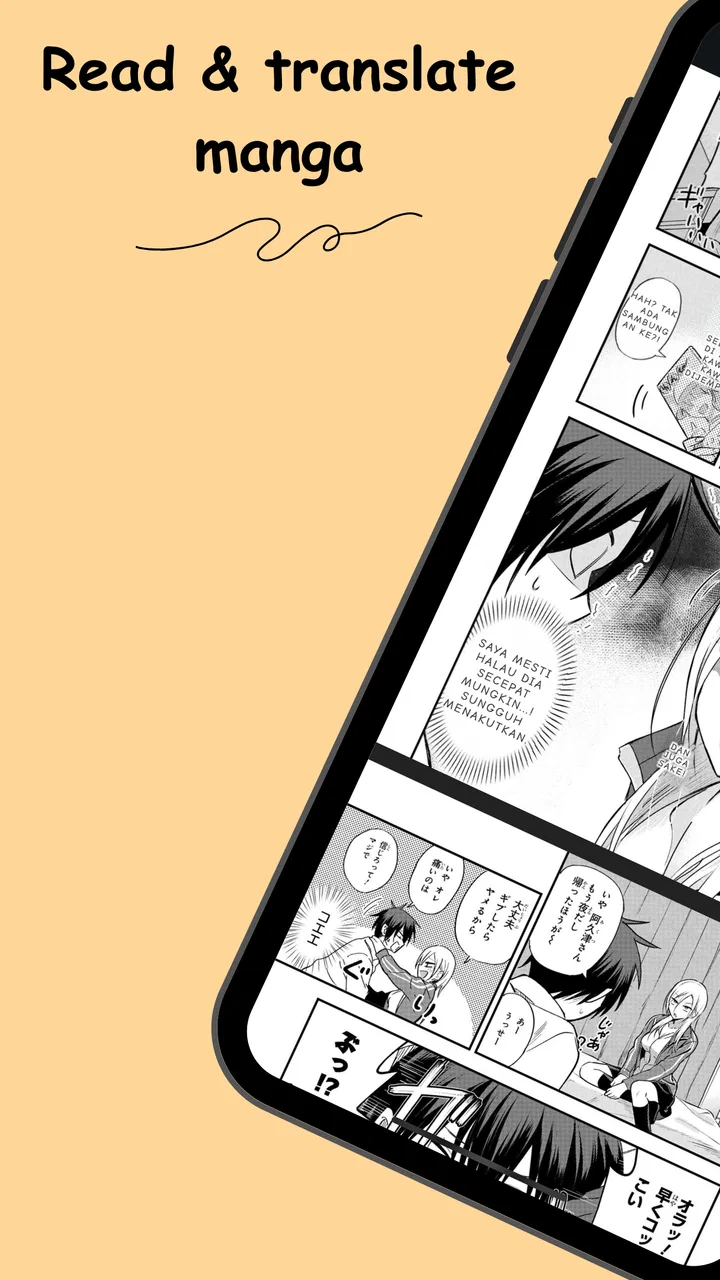
Madomi: Read & Translate Manga
- 3.6
- Rating
- 10.00K
- Installs
- Free
- Price

 Analysis by App-foxy
I approached Fakey - Manga Translator as a practical tool for reading comics rather than as a general language-learning app. Its purpose is easy to understand: help readers deal with manga pages that are written in a language they do not fully know. That makes it potentially useful for imported comics, fan translations, travel reading, or simply checking a speech bubble without leaving the page.
The app comes from Pawaka Labs and sits in the Comics category. It is free to install, aimed at Everyone, and currently carries a 3.2 average from around 118 ratings. Those numbers suggest a product that has attracted some attention but still feels like a developing utility rather than a polished, universally dependable reader. My overall impression matches that position: the idea is convenient, but the quality of the experience depends heavily on the page, the phone, and the connection available at the moment.
How Fakey fits into real manga reading
The most useful way to think about this app is as a bridge between seeing an unfamiliar panel and understanding enough of it to continue reading. It is not a replacement for a carefully edited translation. Manga lettering can be stylized, curved, crowded, handwritten, or mixed with sound effects, and those details are exactly where automatic translation tools tend to struggle.
You May Also Like

 AccuWeather: Weather Radar
AccuWeather Review: A Quick, Clear Forecast for Everyday Decisions
For everyday plans, the best forecast is the one you can understand quickly. AccuWeather makes rain timing, radar, and local conditions easy to act on, with a few trade-offs.

 Hill Climb Racing
Why Hill Climb Racing Still Turns Crashes Into One More Run
A tiny car, a bumpy hill and one more upgrade: Hill Climb Racing keeps resurfacing because its simple chaos makes every near-miss feel personal.

 AliExpress - Shopping App
AliExpress Makes Global Shopping Feel Personal, but Shoppers Bear the Risk
AliExpress turns a global marketplace into a pocket-sized discovery engine. Its reach is useful, its shopping loop compelling, and its trade-offs easy to miss.

 Lords Mobile: Kingdom Wars
Lords Mobile Is a Kingdom-Building Routine, Not a Quick Match
A case-by-case verdict on the building, battles, device demands, and social commitments that make Lords Mobile rewarding for some players and exhausting for others.

 PDF Scanner app - TapScanner
TapScanner Makes Paperwork Easier to Capture, Check, and Share
TapScanner makes scanning with a phone feel less like a rescue operation and more like a dependable step in getting work done. Its capture tools are useful, though not flawless.

 Block Blast!
 Shows How Much a Puzzle Game Can Leave Out
A quiet grid game shows why puzzle players increasingly value instant clarity, repeatable skill and low-pressure play—and where the genre still needs to catch up.
More From Our News Desk
View All News


That distinction matters before installing it. If I am reading a clean page with clear speech bubbles, a translator can save time. If the page uses tiny text, unusual fonts, vertical writing, overlapping artwork, or expressive sound effects, I would treat the result as a helpful clue rather than a final answer. The app is most valuable when it removes a small obstacle, not when I expect it to reproduce the work of a professional localization team.
In everyday use, I would keep it for short reading sessions where stopping to copy text into a separate translation service would be irritating. Imagine finding a digital comic chapter while commuting and reaching a dialogue bubble that blocks the next scene. Opening a separate dictionary, switching between apps, and manually typing the phrase breaks the rhythm. A manga-focused translator has a more natural role: inspect the page, get a rough meaning, and return to the story.
That convenience comes with a trade-off. A dedicated translation app may offer more controlled text entry, broader language tools, or better explanations of grammar. Fakey is more appealing when the source is an image and the reader wants to work from the page itself. For studying a sentence word by word, I would still prefer a conventional translation or dictionary app alongside it.
Why the network can change the experience
Translation from an image is a process with several stages. The app has to recognize the lettering, separate it from the artwork, interpret the detected language, and produce a readable result. Any of those steps may depend on communication with an online service, so I would not plan an important reading session around it without a reliable connection. The store information describes the app as a manga translator, but it does not establish that every part of the workflow works without network access.
This becomes noticeable in ordinary situations. On a strong home connection, I can be patient while a page is processed. On a weak signal in a train station, inside a large building, or during a crowded event, the same action may feel uncertain. A page that appears simple can still take longer than expected if the request has to travel away from the phone and return with a result.
My practical advice is to test the app before leaving home if the reading material matters. Open a few representative pages, including one with clear dialogue and another with dense artwork. That small check tells me more than judging the app with a single easy panel. It also identifies whether my chosen reading environment is suitable before I depend on the translator in a place where troubleshooting is inconvenient.
Connectivity affects more than speed. If a translation request fails, I may not know immediately whether the problem is the page, the connection, or the service handling the request. Repeating the same action several times can waste time and may create the impression that the app is inaccurate when the real issue is an interrupted exchange. I found it better to change one variable at a time: try the page again, improve the image view, then retry on a stronger connection.
Using it comfortably on a phone
Manga pages are designed to be read visually, while translation tools need enough detail to identify characters. That tension makes mobile framing important. A full page may preserve the scene but leave dialogue too small for reliable recognition. Zooming into one speech bubble can improve the text, yet it may remove context or make it harder to judge who is speaking.
I recommend working in sections rather than expecting one scan to understand an entire page. Start with the bubble that matters most to the scene. If the wording seems strange, inspect the neighboring bubble or a wider crop afterward. This approach is slower than a perfect one-tap translation, but it is more dependable because it gives the recognition process a cleaner target.
Phone orientation also changes how practical the app feels. Portrait mode is convenient for holding a device in one hand, but landscape can provide a larger working area for wide panels. I would use whichever orientation makes the lettering largest without forcing constant pinching and repositioning. That is especially important for readers with visual fatigue, because repeated zooming is not just annoying; it can make a short reading session feel unnecessarily demanding.
A useful mobile habit is to prepare the page before asking for a translation. Remove visual distractions from the immediate area, enlarge the relevant lettering, and avoid selecting a crop that cuts through a bubble. Manga often places text close to borders, character faces, or decorative lines. A slightly more deliberate crop can be the difference between a useful phrase and an unusable result.
The app also makes more sense for readers who already have access to their pages on the phone. If the material is stored on another device, moving between screens adds friction. If the comic is in a format that is difficult to display clearly, the translator cannot solve that basic presentation problem. The best workflow is the one that keeps the page and the translation task close together, with minimal switching.
What to do when a result goes wrong
Automatic manga translation has predictable weak spots. Vertical text can be read in the wrong order, sound effects can be mistaken for dialogue, and stylized lettering can be interpreted as unrelated characters. A bubble with multiple lines may also produce an awkward sentence if the reading direction is misunderstood. I would never use a surprising result as the sole basis for understanding an important plot reveal.
When the output looks suspicious, I use a simple recovery routine. First, I check whether the text is large enough. Next, I isolate one bubble instead of the whole panel. Then I compare the result with the visual situation: who is speaking, what expression they have, and whether the sentence fits the scene. If the meaning still seems wrong, I use a second translation method for confirmation rather than repeatedly submitting an identical image.
This is one of the app's less obvious trade-offs. A manga translator can reduce effort for a difficult phrase, but it can also add a verification step when the page is complex. For casual reading, that is acceptable. For learning a language, it means I should not copy every output directly into notes without checking the original wording and context.
Connection failures deserve their own response. If a request does not complete, I would avoid rapidly tapping the same control. Wait briefly, check the connection, and retry with a smaller or clearer section of the page. If the service returns a partial result, save the meaning mentally or in a note before changing the crop. That prevents losing a useful clue while experimenting with a better scan.
The current version is 1.0.22, which reinforces my view that this is a relatively young tool. I would keep the app updated through the normal app-store process, especially if a future release improves recognition or handles connection problems more gracefully. I would also avoid judging its entire value from one failed page, but I would pay attention to whether failures are occasional or become the normal reading pattern.
Keeping mobile data under control
Anyone using image-based translation on cellular data should think about the size and frequency of requests. A single page is not the same as a short text sentence: the app may need to process an image, and repeated attempts can multiply the amount of communication involved. I would use a Wi-Fi connection for long chapters and reserve mobile data for a few essential bubbles.
There is a practical way to reduce unnecessary requests without making reading cumbersome. Instead of sending a full page every time, focus on the smallest area that contains the phrase I need. This can improve recognition and reduce repeated processing at the same time. It also helps protect privacy in a general sense by limiting the amount of surrounding artwork included in each task, although I would not assume anything about the app's handling of images beyond what its own current documentation explains.
Readers should also remember that the free installation does not mean every possible use is cost-free. Fakey includes in-app purchases ranging from $7.99 to $79.99 per item. That is a meaningful consideration, particularly for someone who only needs occasional help with a few pages. Before paying for anything, I would first test the free experience on the kinds of manga I actually read and decide whether the time saved justifies the purchase.
The price range also changes who I would recommend the app to. A frequent reader who regularly encounters untranslated pages may see value in a paid option if it removes a repeated nuisance. A curious reader checking one foreign comic should be more cautious. The right question is not whether translation is useful in theory, but whether this particular workflow is reliable enough in my material to earn additional spending.
Because the app is rated for Everyone, it is presented as suitable for a broad audience. That does not remove the need for supervision or good judgment when children use translation tools with online content. The age label describes the app's content rating, not the nature of every comic a user might choose to process. Parents should still consider the source material and the way the phone is being used.
Who will get the most from it
Fakey is a reasonable fit for readers who already browse manga on a phone and occasionally need help with a page. It is also useful for people who can tolerate approximate wording and are comfortable checking context. The app's strongest role is as a reading aid: it keeps a difficult bubble from stopping the entire chapter.
I would be more hesitant to recommend it as the main tool for serious language study. Learners need dependable grammar explanations, consistent vocabulary, pronunciation guidance, and a way to compare alternative meanings. A manga translator can provide a starting point, but image recognition and contextual ambiguity make it too easy to learn an incorrect interpretation if every output is accepted uncritically.
It is also not my first choice for professional translation, publishing, or any situation where wording must be exact. Manga dialogue often relies on tone, social relationships, implied subjects, jokes, and cultural references. A quick machine result may convey the broad action while missing the emotional detail. For those needs, a human translator or a specialist reference is the better option.
The app is less attractive for readers who mostly consume comics already available in their preferred language. In that case, the extra step of opening a translator offers little benefit. Likewise, users with unreliable connectivity may find that the app interrupts reading more than it helps. A conventional dictionary with downloaded resources, or a translation tool known to support the required workflow locally, may be a better companion for those circumstances.
My verdict on the connected reading experience
After considering how it fits into actual mobile reading, I see Fakey as a useful but situational companion. It addresses a real annoyance: a reader can encounter a foreign speech bubble and get enough assistance to continue without manually retyping everything. That is a worthwhile idea, especially when the page is clean and the connection is steady.
Its limitations are just as important. Image recognition is sensitive to lettering and layout, network conditions can shape the response, and a rough translation may need human interpretation. The app does not eliminate the need for context, and I would not treat it as a substitute for a polished manga edition or a serious language reference.
Pawaka Labs has made something that can be handy in the right moment, but my recommendation is measured. Install it if you often read manga on your phone and want a quick way to investigate difficult pages. Test it with your own material before considering the in-app purchases, and use a stable connection for longer sessions. If you need offline certainty, exact professional wording, or detailed language instruction, I would choose a different tool. For occasional, connected assistance, however, Fakey - Manga Translator can earn a place beside a manga reader when used with realistic expectations.
FAQs for Madomi: Read & Translate Manga
01What is Fakey - Manga Translator and how does it work?
Fakey - Manga Translator is an app designed to help users translate manga text from various languages into their preferred language. By using advanced OCR technology, the app scans manga pages, extracts the text, and provides translations in real-time. This makes it easier for manga enthusiasts to enjoy content that hasn't been officially translated.
02Does Fakey - Manga Translator support multiple languages?
Yes, Fakey - Manga Translator supports a wide range of languages. It can translate from and to several popular languages, including Japanese, English, Spanish, French, and more. This broad support enables users worldwide to access manga content in their preferred language, enhancing the reading experience.
03Is Fakey - Manga Translator easy to use for beginners?
Absolutely, Fakey - Manga Translator is designed with user-friendliness in mind. The app features a straightforward interface, making it easy for beginners to navigate. Users simply need to upload or capture an image of the manga page, and the app will handle the translation process automatically, providing a seamless experience.
04Does Fakey - Manga Translator require an internet connection?
Yes, Fakey - Manga Translator requires an internet connection to function. Since the app relies on cloud-based AI technology for accurate translations, a stable internet connection is necessary to process the images and deliver results efficiently. This ensures that users receive the most up-to-date and precise translations possible.
05Are there any privacy concerns when using Fakey - Manga Translator?
Fakey - Manga Translator prioritizes user privacy and data security. Images uploaded for translation are processed on secure servers, and no personal data is stored without user consent. The app follows stringent privacy policies to ensure that user information remains confidential, providing peace of mind to all users.
Pros
- High accuracy in text translations.
- Supports multiple manga formats.
- User-friendly interface design.
- Quick processing without lag.
- Offline mode for translations.
Cons
- Limited free version features.
- Occasional OCR errors in complex scenes.
- Requires frequent updates for accuracy.
- Ads can be intrusive in free version.
- No support for handwritten text.

Madomi: Read & Translate Manga
Gallery